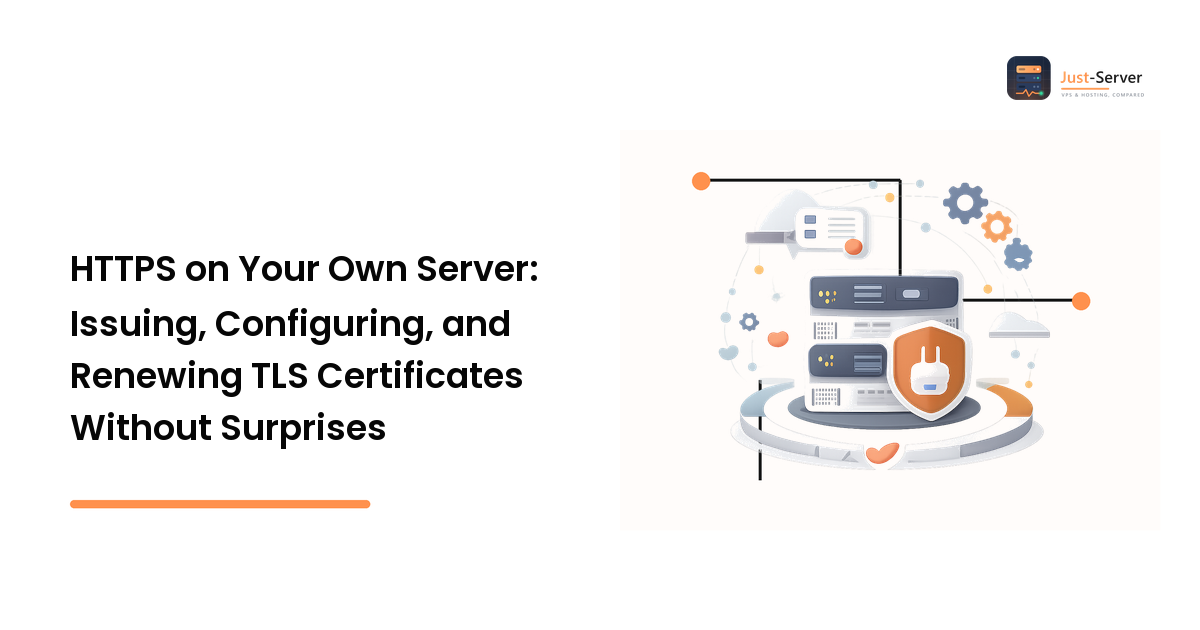
Getting a certificate onto a server is the easy part. One command and a browser shows a padlock. The part that takes sites down months later is renewal — specifically, a renewal that succeeds on disk but never reaches the running web server, or one that quietly fails because the validation path you set up in the first place stopped working. Certificates are short-lived by design, so "set it up once" is not a strategy; automation plus independent monitoring is.
This walks the whole path in stages. Each stage ends with a verification you should run before moving on, because a mistake at stage two shows up as a mystery at stage five.
Stage 1: Prerequisites you must confirm first
Certificate authorities issue only after you prove you control the name, and every automated method depends on that proof working. Confirm before running any command:
- DNS resolves to this server. The
A(andAAAA, if you serve IPv6) record must point at this machine's public IP. If you changed it recently, confirm it took effect — a half-propagated record is a classic validation failure that looks like a certificate bug. Our guide on DNS records that aren't pointing where you think covers checking properly. - Ports 80 and 443 are open in both the host firewall and any cloud security group. HTTP-01 validation uses port 80 even though the result is HTTPS.
- You've decided which hostname is canonical. Pick one to serve and redirect the other; deciding later means reissuing and rewriting redirects.
- A web server is already serving the site over HTTP. If you're earlier than that, start with the VPS setup guide and come back.
Stage 2: Choose an issuance method
Four approaches, each right in a different situation:
- HTTP-01 validation — the CA requests a token file over port 80 at
/.well-known/acme-challenge/. Best default for a single public server: it needs nothing but a reachable web root. It cannot issue wildcards. - DNS-01 validation — the client creates a temporary TXT record. Necessary for wildcards and for servers not reachable on port 80. It needs API credentials for your DNS provider — a real credential to store and rotate.
- Terminate TLS at a proxy or CDN — the edge holds the certificate. Least work on the box, but be deliberate about the origin leg: an unencrypted hop between edge and server is still an unencrypted hop.
- A control panel or managed host does it — often the right answer, but know which component owns renewal so you don't half-configure a second one that fights it.
The rest of this walkthrough uses HTTP-01 with Nginx, the most common self-managed case. The Apache path is structurally identical; if you haven't chosen, our Nginx vs Apache comparison covers the trade-offs.
Stage 3: Issue the certificate
Create a dedicated web root for challenge files so the validation path never depends on your app's routing:
sudo mkdir -p /var/www/letsencrypt/.well-known/acme-challenge
sudo chown -R www-data:www-data /var/www/letsencrypt
Then request the certificate. certonly writes the files and leaves your server config alone, which is what you want if you'd rather manage the config by hand:
sudo certbot certonly \
  --webroot -w /var/www/letsencrypt \
  -d YOUR_DOMAIN -d www.YOUR_DOMAIN \
  --email YOUR_EMAIL --agree-tos --no-eff-email
Every name you want the certificate to cover must be listed with its own -d. A certificate issued for YOUR_DOMAIN alone will throw a name-mismatch warning on www.YOUR_DOMAIN, which is the most common "the certificate is broken" report that isn't a bug.
Verify before continuing: the command reports the path it wrote to, typically /etc/letsencrypt/live/YOUR_DOMAIN/. Confirm fullchain.pem and privkey.pem exist there.
Stage 4: Configure the server correctly
Two server blocks: one on port 80 that redirects everything except the challenge path, and one that actually serves TLS.
server {
    listen 80;
    listen [::]:80;
    server_name YOUR_DOMAIN www.YOUR_DOMAIN;

    # Must stay reachable — this is how renewal proves control.
    location /.well-known/acme-challenge/ {
        root /var/www/letsencrypt;
    }

    location / {
        return 301 https://YOUR_DOMAIN$request_uri;
    }
}

server {
    listen 443 ssl;
    listen [::]:443 ssl;
    http2 on;
    server_name YOUR_DOMAIN www.YOUR_DOMAIN;

    ssl_certificate     /etc/letsencrypt/live/YOUR_DOMAIN/fullchain.pem;
    ssl_certificate_key /etc/letsencrypt/live/YOUR_DOMAIN/privkey.pem;

    ssl_protocols       TLSv1.2 TLSv1.3;
    ssl_session_cache   shared:SSL:10m;
    ssl_session_timeout 1d;

    root  /var/www/YOUR_SITE;
    index index.html;
}
Three details that cause real problems:
fullchain.pem, notcert.pem. The full chain includes the intermediate certificate. Serve the leaf alone and desktop browsers may still work — because they cached the intermediate from another site — while mobile clients, older devices, and API clients fail. That's the profile of a "works for me" bug that costs a day.- The redirect must not swallow the challenge path. Put the
.well-knownlocation above the catch-all redirect, as shown. Getting this wrong doesn't break anything today; it breaks renewal in two months. http2 on;is a directive of newer Nginx versions. On older builds it'slisten 443 ssl http2;instead. Check your version withnginx -vand use the form your build accepts rather than copying either blindly.
Apply it safely — test the syntax first, and reload rather than restart so live connections aren't dropped:
sudo nginx -t && sudo systemctl reload nginx
Verify: load https://YOUR_DOMAIN in a browser, then confirm the redirect actually works with curl -I http://YOUR_DOMAIN and look for a 301 to the HTTPS URL.
Stage 5: Make renewal automatic — and make it reload the service
Most ACME clients install a scheduled renewal job on their own. Confirm yours exists rather than assuming:
systemctl list-timers | grep -i certbot
sudo certbot renew --dry-run
The dry run performs the real validation against a staging endpoint without issuing a certificate. If it fails, you've found your future outage two months early — which is the entire point of running it.
Now close the gap that causes most expiry incidents even when renewal works: a renewed certificate on disk is not a renewed certificate in memory. Nginx holds the certificate it read at startup until it's told to re-read. Add a deploy hook that runs only when a renewal actually happened:
sudo tee /etc/letsencrypt/renewal-hooks/deploy/reload-nginx.sh >/dev/null <<'EOF'
#!/bin/sh
systemctl reload nginx
EOF
sudo chmod +x /etc/letsencrypt/renewal-hooks/deploy/reload-nginx.sh
If you terminate TLS somewhere else too — a load balancer, a mail server, a proxy — the same rule applies to each of them. Every service that reads the certificate file needs its own reload.
Stage 6: Monitor expiry from outside the box
Automation fails silently. The renewal timer can be masked, the challenge path can break, the DNS credential can expire, disk can fill. None of those page you — the expired certificate does, in front of your users. So check what the server is actually serving, not what's on disk:
echo | openssl s_client -servername YOUR_DOMAIN -connect YOUR_DOMAIN:443 2>/dev/null \
  | openssl x509 -noout -subject -dates
That prints the subject and the notBefore/notAfter dates from the live handshake — so it catches the "renewed but never reloaded" case that a file-system check misses. Run it from a machine other than the server itself, on a schedule, with an alert well before expiry. Whatever monitoring you already use for uptime should carry a certificate-expiry check alongside it; treating TLS expiry as an uptime concern rather than a security chore is what keeps it from becoming an outage.
Stage 7: Know the failure modes
- Validation fails after previously working. Something now intercepts
/.well-known/acme-challenge/— a new redirect rule, an app catch-all route, a WAF rule, or a firewall change closing port 80. Test by dropping a plain text file in the challenge directory and fetching it over HTTP. - Renewal succeeded, browsers still see the old certificate. Missing reload. See stage 5.
- Works on desktop, fails on mobile or in API clients. Missing intermediate — you're serving
cert.peminstead offullchain.pem. - Name mismatch warnings. A hostname is missing from the certificate's name list. Reissue with every
-dyou serve. - You hit an issuance limit while testing. Certificate authorities publish rate limits; use your client's staging or dry-run mode while experimenting, and check the CA's current documented limits rather than guessing at the numbers.
- Padlock shows but the page reports insecure content. Mixed content — hard-coded
http://URLs for images, scripts, or stylesheets. Fix them at the source; a blocked mixed-content script breaks functionality, not just the padlock. - Handshake failures on one client only. Check the clock. Certificate validity is time-based, and a machine with badly skewed time rejects perfectly good certificates.
A note on HSTS: Strict-Transport-Security tells browsers to refuse plain HTTP for your domain for the max-age you set. It's a genuine improvement and hard to undo, because clients cache the instruction. Add it only once HTTPS is stable everywhere you serve — including every subdomain if you set includeSubDomains — and start with a short max-age.
FAQ
Why did my certificate expire when auto-renewal was configured?
Almost always one of three things: the renewal ran but the web server was never reloaded, the validation path stopped being reachable, or the scheduled job wasn't running at all. Check the live handshake with the openssl s_client command above rather than the files on disk — that tells you what visitors actually get.
Do I need to buy a certificate, or is a free one enough?
For encrypting traffic, an automated free certificate from a public CA does the same job as a paid one — browsers validate the chain, not the price. Paid certificates exist for organization-validated identity, warranty terms, and support arrangements. Without a specific requirement for those, the free automated path is the pragmatic default.
How do I get a wildcard certificate?
Wildcards require DNS-01 validation, so your ACME client needs credentials for your DNS provider's API to create the temporary TXT record. Only take that on if you genuinely need many subdomains — you're trading a simpler validation path for a stored API credential to protect and rotate.
My host or CDN handles TLS. Do I still need any of this?
Not the issuance, but check two things: whether the connection between the edge and your origin is encrypted, and which component owns renewal. Running a certificate on the origin and at the edge is fine — just make sure each has working automation and neither is quietly expired behind the other.
Should I redirect all HTTP traffic to HTTPS?
Yes, with one exception: keep /.well-known/acme-challenge/ reachable over plain HTTP so renewal keeps working. Everything else should be a 301 to the canonical HTTPS hostname.
Next step
Working TLS on a server you manage is five things: a reachable validation path, a certificate covering every hostname you serve, a config that serves the full chain, a renewal hook that reloads every service holding the certificate, and an external expiry check. Set all five and certificates stop being something you think about.
If maintaining that yourself isn't where your time should go, the alternative is choosing hosting that handles certificates and renewal for you — compare VPS plans and managed hosting options at just-server.net to see which providers include automated TLS and what you give up in control by letting them run it.