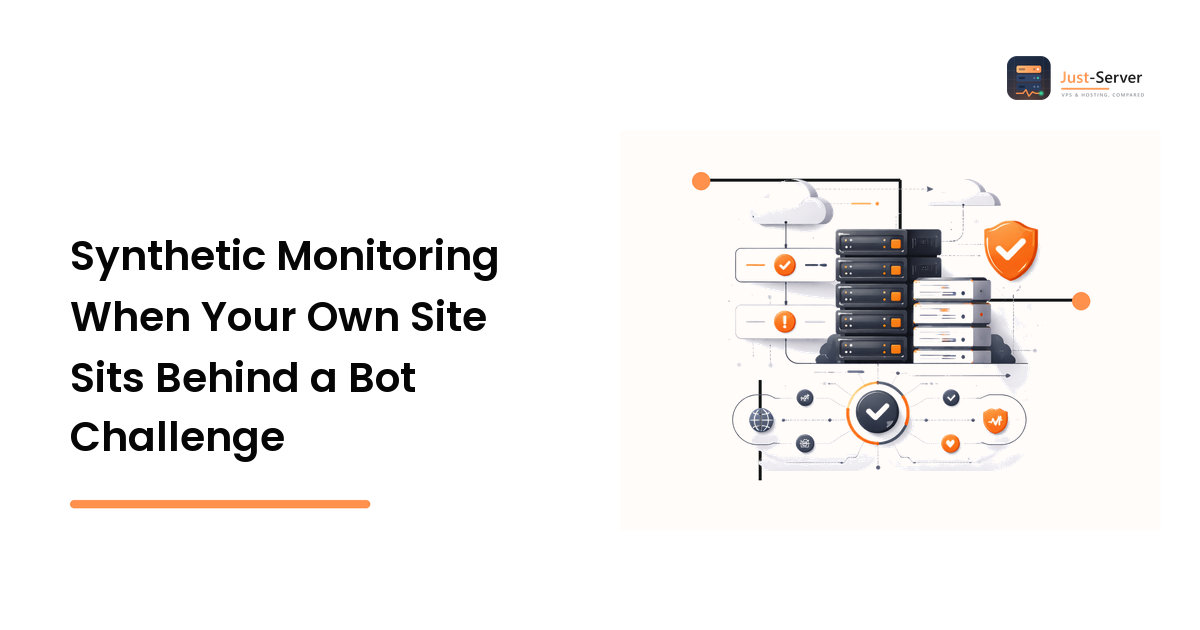
You enable a managed challenge in front of the site on a Friday. By Monday you have two problems and you only noticed one of them.
The one you noticed: your uptime monitor started paging at 3 a.m. because its HTTP check came back 403. The one you didn't: a different check, the one that only asserts "status is 200 and the page contains our brand name," went green all weekend — while quietly measuring a challenge interstitial rather than your application. The first problem is noisy. The second is worse, because it means your monitoring is lying to you.
The short version of the fix: give the monitor an identity so routine availability checks stop being treated as unknown traffic, and keep exactly one probe that goes through the front door the way a visitor does, so you still find out when the front door is broken.
What actually breaks
Bot protection sits in front of the origin, so it answers before your stack does. That changes what a synthetic check is measuring:
- Status-code checks turn into false alarms. A 403, 503, or a 200-with-challenge-body is a perfectly healthy edge doing its job. Your app never saw the request.
- Keyword checks turn into false confidence. If the challenge page happens to contain your domain name or a shared header fragment, a naive content assertion passes.
- Latency numbers stop meaning anything. TTFB now measures the challenge, not your origin. Your performance graphs quietly re-baseline and you spend a week chasing a regression that isn't there. The performance and uptime fundamentals guide covers what TTFB should and shouldn't include.
- Certificate and DNS checks are unaffected, which is why teams often conclude "monitoring is fine" and miss the rest.
Fix one: give the monitor an identity
Routine availability checks should not be indistinguishable from unknown traffic. Every major edge product supports a skip or bypass rule; the mechanism matters less than the discipline of scoping it tightly.
The pattern that ages best is a secret header on a dedicated path:
IF   http.request.uri.path eq "/healthz"
AND  http.request.headers["x-probe-token"] eq "<long random value>"
THEN skip bot management, skip rate limiting
Why this shape rather than an IP allowlist:
- Monitoring vendors change egress ranges; a header travels with the check.
- The rule is scoped to one path, so a leaked token buys an attacker a health endpoint, not your login form.
- You can rotate it without filing a ticket with your monitoring provider.
Pair it with an origin-side rule that refuses /healthz unless the request came through the edge, so nobody can hit it directly and skip the whole chain. If you also expose SSH or an admin panel on the same box, the same scoping logic applies there — see the notes on locking down a Linux server against brute-force traffic.
Make the health endpoint shallow but honest: it should touch the database and any critical dependency, return a small JSON body with a version string, and never be cached. A /healthz that returns a static 200 from the edge is a very expensive way to monitor your CDN.
Fix two: keep one probe on the real user path
Here's the uncomfortable part. The moment you exempt your monitor, it stops testing what your visitors experience. Every incident category that lives in the protection layer — a misconfigured rule, an expired Turnstile site key, a challenge that fails to render for a whole browser family, a country-level rule someone added by accident — is now invisible to you. Those are real outages. Customers cannot buy anything, and your dashboard is green.
So run two tiers:
| Tier | Frequency | Path | What it proves |
|---|---|---|---|
| Availability probe | 30–60s | /healthz, exempt from the challenge |
Origin, database, TLS, DNS are up |
| Journey probe | 10–30 min | Real URLs, no exemption, real browser | A visitor can actually get in |
The journey probe is the one that costs something to build, and it is the one that catches the incidents that lose money.
Making the journey probe survive the challenge
Run it in a real headless browser — the challenge widgets rely on browser APIs, so a bare HTTP client will never pass one. From there you have two honest options.
The first is to accept partial coverage: let the probe assert that the challenge rendered correctly and stop there. This is cheap and catches the "expired site key" class of incident, which is more common than people expect.
The second is to complete the challenge the way a visitor would, so the probe reaches the page behind it and can assert on your actual application. That means resolving the widget programmatically. CaptchaAI is one service built for this shape of work: you submit the site key and page URL, receive a task id, and poll a result endpoint on a fixed cadence — roughly every five seconds, per its documentation — until a token comes back, which the probe injects before continuing. CaptchaAI states the interface is drop-in compatible with the in.php / res.php request pattern most existing client libraries already speak, and that a proxy can be passed per task, which matters if you want the probe to originate from the same region as your customers.
The numbers to design around are the published ceilings, not the averages. CaptchaAI states solve-time ceilings of under 10 seconds for Cloudflare Turnstile, under 15 seconds for a Cloudflare Challenge, under 4 seconds for reCAPTCHA v3, and under 60 seconds for reCAPTCHA v2, alongside a stated success rate above 99% and a 99.9% uptime SLA. Budget your probe timeout from the ceiling for your challenge type and add headroom, or you will generate the exact false alarms you set out to eliminate.
Cost sizing is simple because the pricing is concurrency-based rather than per-request. CaptchaAI states thread-based plans with unlimited solves per thread, from $15/month for 5 threads. A journey probe running every fifteen minutes across three regions is nowhere near three concurrent solves, so the entry tier covers a monitoring workload comfortably — the sizing question is peak parallelism, not monthly volume.
Scope this to hostnames you control. Keep an explicit allowlist of the domains the journey probe is permitted to visit and review it when it changes. Monitoring your own property through your own protection layer is ordinary operations work; pointing the same tooling at somebody else's site is not, and there is no configuration that makes it so.
Alerting: separate "challenged" from "down"
The last mile is your alert logic. Record, per check, which outcome you got:
ok— reached the app, assertions passed.challenged— protection issued a challenge and the probe could not clear it.origin_error— reached the origin, got a 5xx.unreachable— DNS or TLS failure.
Page on origin_error and unreachable immediately. Treat challenged as a warning that escalates only if it persists across two consecutive runs and the availability probe is still green — that combination is the signature of a protection misconfiguration, which is a real incident with a completely different runbook from "the server is down."
Log the challenge type and the ray/request id from the edge on every challenged result. When you do have to open a ticket with your edge provider, that single field turns a two-day thread into a ten-minute one.
FAQ
Isn't allowlisting my monitor a security hole? Only if you scope it badly. A skip rule on one path, gated behind a rotatable secret header, with the endpoint returning no sensitive data, is a much smaller surface than the monitoring blind spot you're trading it for. Don't allowlist a broad IP range across the whole site.
Can't I just monitor the origin directly and bypass the edge? You can, and you should — as a third, separate check. But it tells you nothing about whether customers can reach you, which is the question uptime monitoring exists to answer.
Is it acceptable to have a monitor clear a challenge on my own site? Yes, when it is your site and your protection configuration. That is the same authorization basis as running a load test or a penetration test against your own infrastructure. Document it, keep the target list explicit, and don't extend it to hosts you don't control.
How many threads or how much concurrency should I buy for monitoring? Multiply your number of parallel probes by the fraction of the interval a solve occupies. A handful of probes on a 15-minute interval is effectively one concurrent solve; entry-tier concurrency is almost always enough for monitoring, in contrast to a testing or QA workload that fires in bursts.
Next step
Audit your current checks against one question: if the protection layer broke right now, which of them would notice? If the answer is "none," you have false confidence, not monitoring. Add the exempt availability probe, then build a single journey probe that goes through the front door — and if that probe needs to clear a challenge on your own hostname, read CaptchaAI's docs and test it against one staging URL first so you can set your timeouts from a measured number rather than a guess.