"What hosting should I use?" sounds like a simple question, but the honest answer is "it depends" — on your traffic, your budget, how much of the server you want to manage, and how fast you expect to grow. The good news is that there are only a handful of hosting types, and once you understand the trade-offs behind each, the right pick usually becomes obvious. This guide walks through shared, VPS, dedicated, and cloud hosting without favoring any provider, so you can choose by fit rather than by marketing.
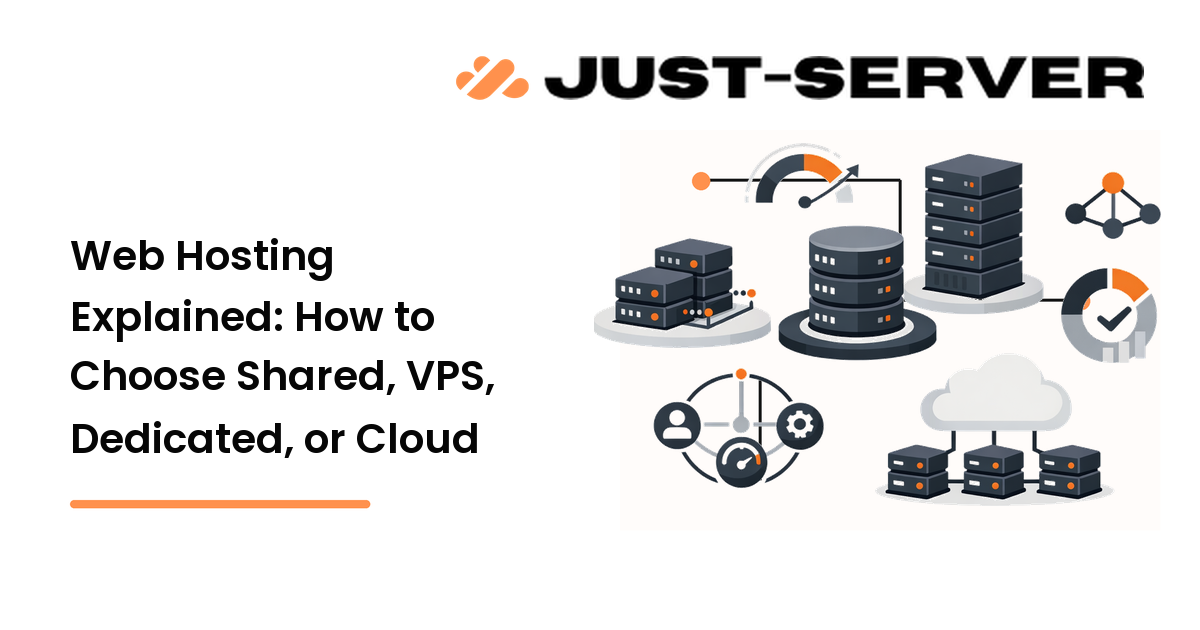
The short version: shared hosting is cheapest and simplest but offers the least control; VPS gives you a real slice of a server with root access; dedicated puts an entire machine in your hands; and cloud trades fixed boxes for elastic, pay-as-you-go resources. Managed versions of each hand the maintenance to someone else for a higher price.
What web hosting actually is
Web hosting is renting space and compute on a server that's connected to the internet around the clock, so your website or application is reachable whenever someone types your domain. Every site lives on a server somewhere; "choosing hosting" is really choosing how much of that server is yours, who maintains it, and how it grows under load. Those three questions — control, maintenance, and scaling — are the lens for everything below.
Shared hosting
On shared hosting, many websites live on the same physical server and split its resources. It's the entry point for most people: cheap, beginner-friendly, and usually managed through a control panel so you never touch a command line.
- Best for: brochure sites, blogs, small business pages, and early-stage projects with modest traffic.
- Strengths: lowest cost, almost no maintenance, quick setup.
- Trade-offs: you share CPU and memory with neighbors, so a traffic spike on another site can slow yours (the "noisy neighbor" problem). You also get little control over the software stack.
Choose shared hosting when your priority is low cost and zero server management, and your traffic is predictable and small. The reason it ranks first for beginners is simple: it removes the entire burden of server administration.
VPS hosting
A Virtual Private Server (VPS) still shares a physical machine, but virtualization carves out a guaranteed slice of CPU, memory, and storage that's yours alone. Crucially, you typically get root access, so you can install and configure the stack however you like.
- Best for: growing sites, web apps, developers who want control, and agencies hosting several client projects.
- Strengths: dedicated resources at a fraction of a full server's cost, root access, and the freedom to tune the OS and services.
- Trade-offs: you're now responsible for the server — updates, security, and configuration — unless you pay for a managed VPS.
VPS is the natural step up when shared hosting starts to feel cramped or restrictive. It ranks ahead of dedicated for most growing projects because it delivers real control and isolation without the cost and capacity of an entire machine.
Dedicated servers
A dedicated server is an entire physical machine reserved for you. Nothing is shared, so you get every bit of its performance and complete control over the hardware and software.
- Best for: high-traffic sites, resource-heavy applications, and workloads with strict performance, compliance, or data-isolation needs.
- Strengths: maximum and consistent performance, full control, and no neighbors.
- Trade-offs: the highest fixed cost, and you (or a managed plan) carry full responsibility for administration. Capacity is fixed, so scaling means migrating to a bigger box.
Reach for dedicated when you genuinely need the whole machine — sustained heavy load, large databases, or isolation requirements — and the predictable monthly cost is worth it. For most projects this is more than they need, which is why it sits below VPS and cloud in the default ranking.
Cloud hosting
Cloud hosting spreads your site across a network of connected servers instead of pinning it to one box. Resources are pooled and elastic: you can add or remove capacity on demand and typically pay for what you use.
- Best for: sites with variable or spiky traffic, applications that need to scale quickly, and teams that value redundancy.
- Strengths: scales up and down on demand, resilient to single-server failures, and billed by usage.
- Trade-offs: usage-based pricing can be unpredictable, and the platforms have a steeper learning curve. Costs can climb if you don't watch them.
Choose cloud when your traffic is unpredictable or you expect rapid growth and want to scale without migrating servers. Its flexibility is the reason it often beats dedicated for modern apps — you pay for resilience and elasticity rather than a fixed ceiling.
Managed vs unmanaged
Cutting across all of the above is a second choice: who runs the server?
- Unmanaged hosting hands you the keys and the responsibility — OS updates, security patching, backups, and configuration are yours. It's cheaper and gives full control, but it assumes you (or a sysadmin) know what you're doing.
- Managed hosting includes maintenance, monitoring, security, and support for a higher price. It's the right call when you'd rather build your product than administer a server.
The rule: pay for managed when your time is worth more than the price difference, or when no one on the team is comfortable running a server.
How to choose
Work through four questions in order:
- Traffic and resources — small and steady points to shared; growing or heavy points to VPS, dedicated, or cloud.
- Control — if you need root access and a custom stack, rule out shared.
- Maintenance — if no one wants to manage a server, choose shared or a managed plan.
- Scaling — if traffic is spiky or growth is fast, cloud's elasticity earns its keep.
A practical default: start on the smallest tier that meets your needs today, watch your performance and uptime metrics, and move up only when the data shows you're constrained. Over-provisioning on day one wastes money; under-provisioning is easy to fix once you're actually running.
FAQ
What is the difference between shared and VPS hosting?
Shared hosting splits one server's resources among many sites with no guaranteed slice, while a VPS reserves a fixed amount of CPU and memory for you and usually grants root access. VPS costs more but removes the noisy-neighbor problem and gives you real control.
Is cloud hosting always better than a dedicated server?
No. Cloud wins when traffic is variable and you want elastic scaling and redundancy. A dedicated server can be the better, more predictable choice for sustained heavy load or strict data-isolation needs, where fixed monthly cost beats usage-based billing.
Do I need managed hosting?
You need it if no one on your team is comfortable handling OS updates, security patching, and backups, or if your time is better spent on your product. If you have the skills and want full control at a lower price, unmanaged is fine.
Can I switch hosting types later?
Yes. Most projects start small and migrate up as they grow. Plan for it by keeping backups and avoiding provider-specific lock-in where you can, so moving from shared to VPS, or VPS to cloud, is a planned step rather than an emergency.
How much does web hosting cost?
It ranges widely: shared hosting is the cheapest, VPS sits in the middle, and dedicated servers cost the most as a fixed monthly fee. Cloud is usage-based, so its cost depends entirely on how much you consume — cheap when idle, but worth monitoring under load.
Next step
Match your traffic, your technical comfort, and your need for control to one hosting type, then start on the smallest plan that fits. Watch your uptime and performance, and scale up only when the metrics — not the marketing — tell you it's time.