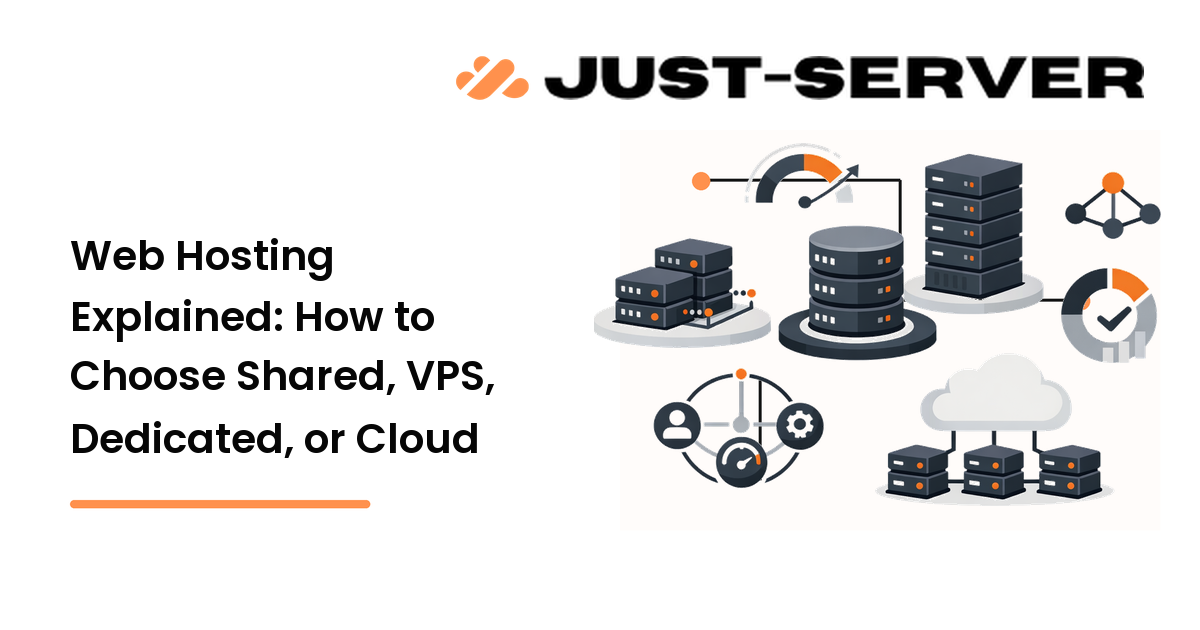
Choosing web hosting feels harder than it should. The plans all promise speed, uptime, and support, but the words behind them, shared, VPS, cloud, dedicated, describe very different setups with very different trade-offs. The good news: once you understand what each type actually does, picking one is mostly about matching your traffic, budget, and how much server work you want to do yourself.
This guide explains the main hosting types in plain language, then gives you a simple framework for choosing. The short version: most new sites belong on shared or managed hosting, and you move up only when a real constraint, traffic, performance, or control, pushes you there.
What "web hosting" actually means
A website is a set of files and a database that live on a server, a computer that stays online and answers requests from browsers. Web hosting is renting space and resources on such a server, along with the software and network that make your site reachable at your domain.
The hosting types below differ in one core way: how the server's resources are divided up and who manages them. That single distinction drives the price, the performance ceiling, and how much technical work lands on you.
Shared hosting
With shared hosting, many websites live on the same physical server and share its resources. It is the entry-level option, and it is popular for a reason: it is inexpensive and the host manages the server for you.
Best for: new sites, brochure sites, small blogs, and low-to-moderate traffic where cost matters more than peak performance.
Trade-offs to know:
- Resources are shared, so a traffic spike on a neighboring site can occasionally affect yours (often called the "noisy neighbor" effect).
- You usually cannot install custom server software or change low-level settings.
- It scales only so far. Once your traffic outgrows the plan, you will feel it as slowdowns.
If you are launching your first site and are not sure how much traffic you will get, shared hosting is a reasonable, low-risk starting point. Choose it because it is cheap and managed, not because it is the fastest, it is not.
VPS hosting
A virtual private server (VPS) divides one physical server into isolated virtual machines, each with its own guaranteed slice of CPU, memory, and storage. You get a private environment without paying for an entire physical machine.
Best for: growing sites, small applications, and anyone who needs more consistent performance or root access to install and configure their own software.
Trade-offs to know:
- Guaranteed resources mean a neighbor's spike no longer steals your capacity.
- You typically get root access and can run custom stacks, but with an unmanaged VPS you are responsible for updates, security, and configuration.
- Managed VPS plans hand that maintenance back to the host for a higher price.
Pick a VPS when shared hosting starts to feel slow under load, or when you need control a shared plan will not give you. If you are not comfortable administering a server, choose a managed VPS so the host handles patching and hardening. We cover the setup details in the VPS setup guide.
Cloud hosting
Cloud hosting spreads your site across a pool of connected servers rather than a single machine. Instead of being tied to one box, your site draws from shared infrastructure that can add or remove resources on demand.
Best for: sites with variable or unpredictable traffic, stores running seasonal promotions, and projects that need to scale quickly without migrating.
Trade-offs to know:
- Resources scale up and down, so you handle traffic surges without buying a bigger fixed plan year-round.
- If one underlying server fails, your site can keep running on the others, which helps availability.
- Pricing is often usage-based, which is flexible but can be less predictable than a flat monthly fee.
Choose cloud hosting when your traffic is spiky or you expect fast growth, and you would rather scale on demand than guess at a fixed plan size.
Dedicated hosting
A dedicated server is an entire physical machine reserved for you alone. No sharing, no virtual neighbors, all of the resources are yours.
Best for: high-traffic sites, large applications, and workloads with strict performance, compliance, or customization requirements.
Trade-offs to know:
- Maximum performance and full control over hardware and software.
- The highest cost of the four types.
- With an unmanaged dedicated server, you (or your team) own all administration, security, and maintenance.
Pick a dedicated server only when a real requirement justifies it: sustained high traffic, heavy resource use, or rules that demand isolated hardware. For most sites, this is more than you need.
A simple framework for choosing
You do not need to predict the future. You need to match today's reality and leave room to grow. Work through these questions in order:
1. How much traffic do you realistically expect?
Low or unknown traffic points to shared or managed hosting. Steady, growing traffic points to a VPS. Spiky or fast-growing traffic points to cloud. Sustained heavy traffic points to dedicated.
2. How much server administration do you want to do?
If the answer is "as little as possible," choose a managed plan (managed shared, managed VPS, or managed cloud). If you are comfortable with the command line and want full control, an unmanaged VPS or dedicated server gives it to you, along with the responsibility.
3. What is your budget, and how predictable does it need to be?
Flat monthly pricing (shared, VPS, dedicated) is easy to forecast. Usage-based cloud pricing trades predictability for flexibility. Match this to how comfortable you are with a variable bill.
4. Do you have special requirements?
Custom software, specific compliance needs, or isolated hardware push you toward VPS or dedicated. If you have none of these, you almost certainly do not need them yet.
The honest rule of thumb: start one step below where you think you need to be, then scale when a real constraint appears. Over-buying hosting wastes money; under-buying is usually a quick upgrade away. Whatever you choose, performance also depends on configuration, caching, and a CDN, see our guide to diagnosing a slow server for that side of the equation.
Frequently asked questions
What is the difference between shared and VPS hosting?
Shared hosting puts many sites on one server with pooled resources, which is cheap but can be affected by other sites' spikes. A VPS gives each site a guaranteed, isolated slice of resources and usually root access, so performance is more consistent and you have more control, at a higher price.
Is cloud hosting always better than a VPS?
No. Cloud hosting is better when your traffic is unpredictable or growing fast, because it scales on demand. A VPS can be simpler and more cost-predictable for steady traffic. Choose based on how variable your load is, not on which sounds more modern.
Do I need a dedicated server for a small business website?
Almost never. Most small-business sites run comfortably on shared, managed VPS, or cloud hosting. A dedicated server makes sense only when you have sustained high traffic, heavy resource use, or strict isolation requirements that the other types cannot meet.
What does "managed" hosting mean?
Managed hosting means the provider handles server maintenance for you, things like operating system updates, security patching, and configuration. It costs more than unmanaged hosting but removes the administration burden, which is worth it if you do not want to run a server yourself.
Can I switch hosting types later?
Yes. Most hosts let you upgrade from shared to VPS to cloud or dedicated as you grow, and migrations are a routine task. That is exactly why it is reasonable to start small and move up only when a real constraint appears.
Choosing with confidence
There is no single "best" web hosting, only the best fit for your traffic, your budget, and how much of the server you want to manage. Start by being honest about today's needs, favor managed plans if you do not want to administer a server, and treat upgrades as a normal part of growing. When you have picked the type that fits, see how Just-Server measures up.